
You can apply the following pills to your menu items using a combination of HTML and CSS.

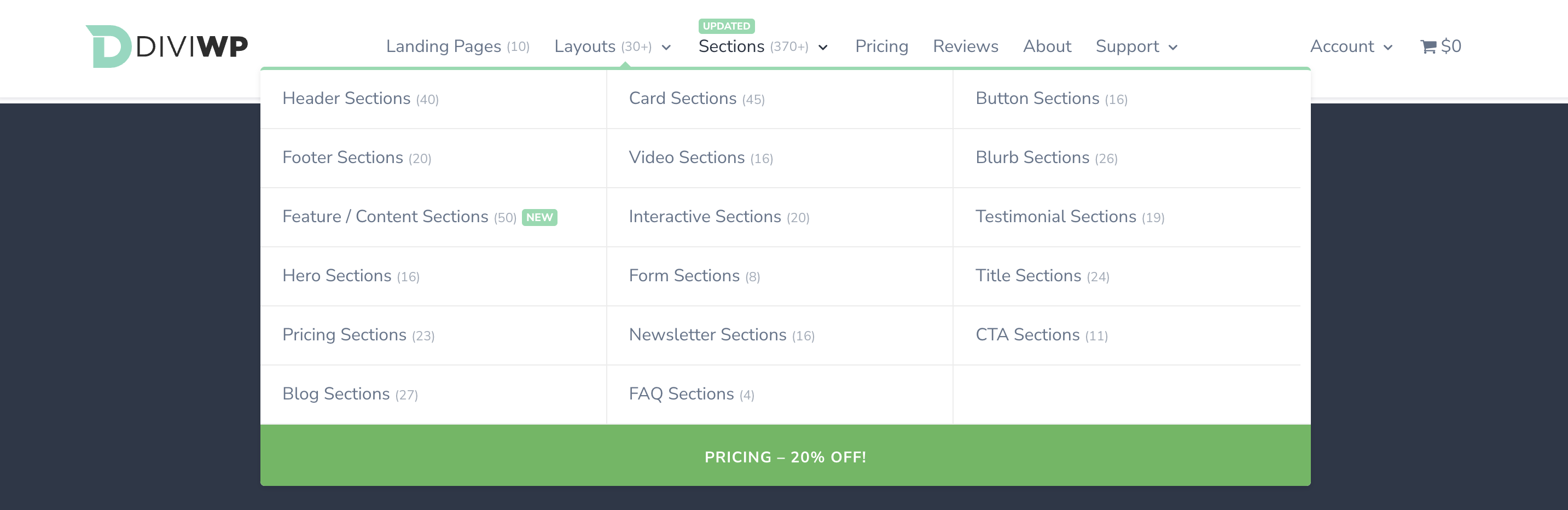
There are 2 options for you to choose (or customise even further if you want to put on your CSS hat!)
All you need to do is insert the following HTML into the Navigation Label of your Menu item as per the examples below and then paste the custom CSS into your theme builder custom css code module or Divi Theme Options Custom CSS field.
Option 1: Position above Menu Item
Copy the following HTML and add it to your Menu Label via WordPress admin dashboard → Appearance → Menus
<span class="diviwp-menu-pill-top">NEW</span>
To display the pill above the menu item, paste the above HTML before the title of the menu as per the example below:

You'll still need to add the CSS outlined below to make it look like this:

Option 2: Position to the right of Menu item
Copy the following HTML and add it to your Menu Label via
WordPress admin dashboard → Appearance → Menus
<span class="diviwp-menu-pill-right">NEW</span>
To display the pill to the right the menu item, paste the above HTML after the title of the menu as per
the example below:

With CSS, it looks like this:

The CSS
You can copy and paste the following CSS and add it to the "Custom CSS Code" Module within your header section or via Divi Theme Options → General → Custom CSS field.
/* DiviWP Pill positioned above the Menu Label */
.diviwp-menu-pill-top {
position: absolute;
top: -6px;
margin-left: 0px;
margin-bottom: 0px;
padding: 1px 4px;
color: #ffffff; /* adjust this color to your preferences */
background-color: #87DBAE; /* adjust this color to your preferences */
font-size: 9px;
font-weight: 800;
line-height: 12px;
border-radius: 3px;
line-height: normal;
}
@media only screen and (max-width: 768px) {
.diviwp-menu-pill-top {
top: auto;
margin-top:6px;
margin-left:6px;
}
}
/* DiviWP Pill positioned to the right of the Menu Label */
.diviwp-menu-pill-right {
position: relative;
top: -1px;
margin-left: 0px;
margin-bottom: 13px;
padding: 1px 4px;
background-color: #87DBAE; /* adjust this color to your preferences */
color: #ffffff; /* adjust this color to your preferences */
border-radius: 3px;
font-weight: 800;
font-size: 10px;
line-height: normal;
}